
Bring Your Own Telephony (BYOT)
You can connect your own telephony provider to Prim Voices to make and receive calls using your existing numbers and carrier. We currently support Twilio and Telnyx.
Step-by-step
1Create a Telephony Configuration
Go to your Profile → Telephony and clickAdd Configuration.
Each provider has different requirements:
- Twilio: provide Account SID, API Key SID, and API Key Secret.
- Telnyx: provide an API Key.
Tip: Use a Twilio Subaccount or a Telnyx API Key with minimal required permissions.
2Configure the Agent to use the Telephony Configuration
Select your agent from the Agents page. From the Details page, select the newly added Telephony Configuration from the dropdown.
3Configure the phone number to send traffic to the Agent
https://api.primvoices.com/v1/agents/<AGENT_ID>/call?environment=<ENVIRONMENT_NAME>
- AGENT_ID: The ID of your agent. You can find it in the URL of the Agent Details page.
- ENVIRONMENT_NAME: The name of your environment (all lowercase, no spaces).
4Test your Agent
Call the issued number to start a conversation. You can view the session under the Sessions tab for the agent.
Twilio specifics
- Create a Subaccount (recommended) and a Restricted API Key.
- Numbers can be purchased and managed in your Twilio account as usual.
- When issuing a number from Prim Voices, we will use your Twilio configuration.
- Below, you can see the permissions you need to create a Restricted API Key:
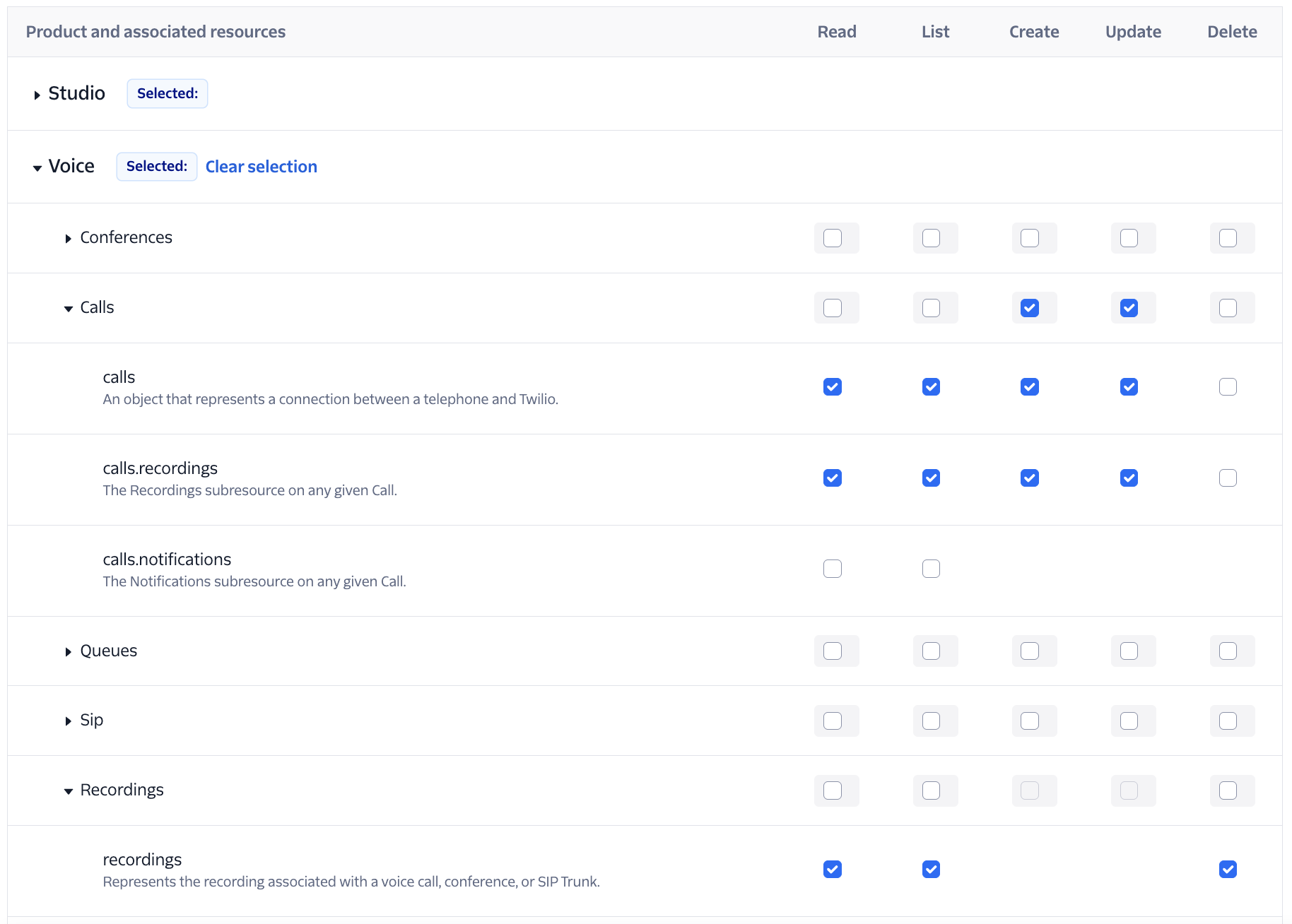
(Above are the permissions you need for Prim to be able to manage calls)
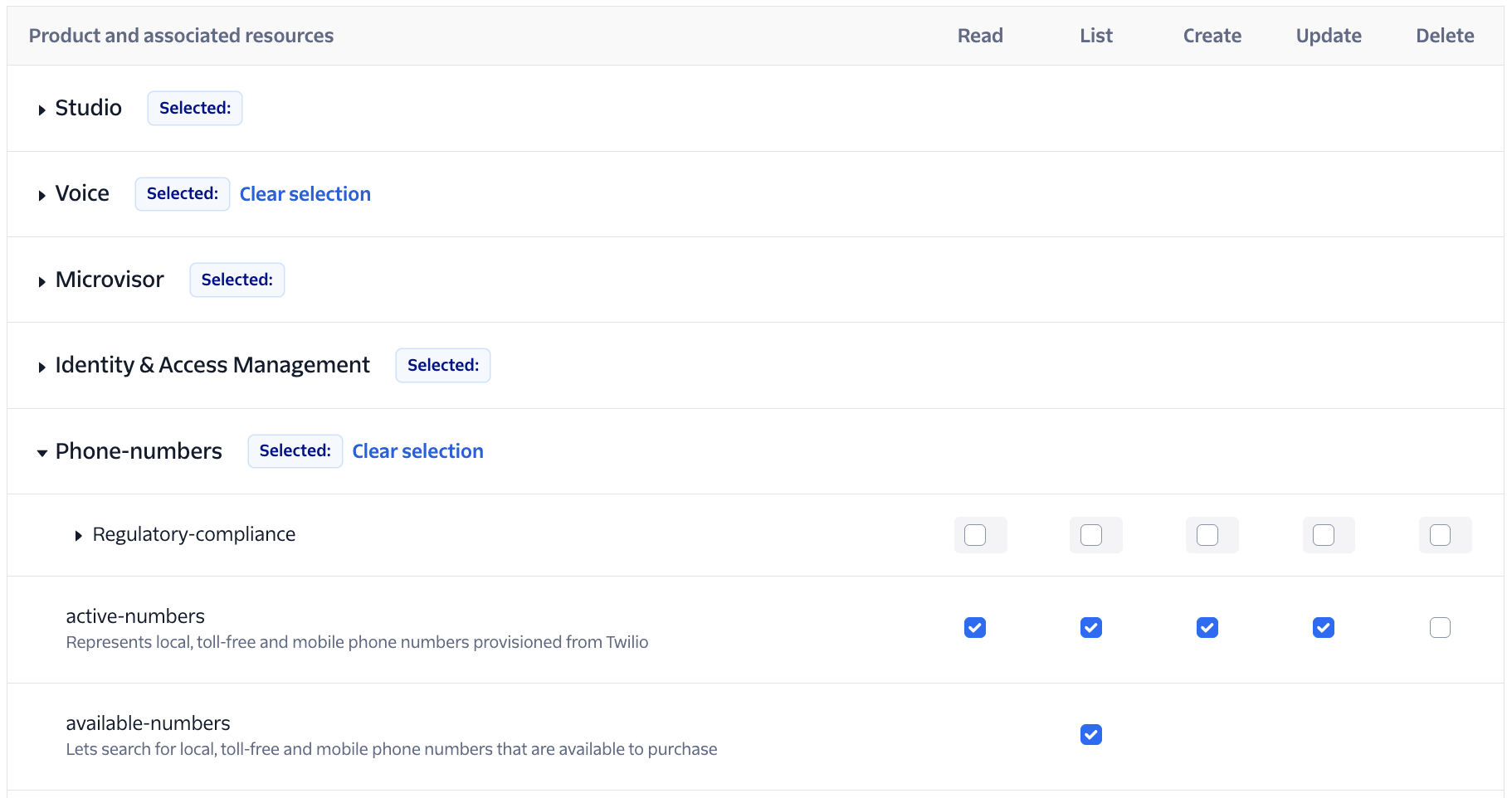
(Above are the permissions you need for Prim to be able to manage phone numbers)
Telnyx specifics
- Generate an API Key from the Telnyx dashboard.
- Numbers can be purchased and managed in your Telnyx account as usual.
- When issuing a number from Prim Voices, we will use your Telnyx configuration.